 SproutCrew
Release 2.1.0
One review board for the plan, guardrails and cost. Set a project budget and pick a model for each step.
Read the release notes →Give your crew a brief and sources. Review the plan, check the findings, and decide what ships.
One review board for the plan, guardrails and cost. Set a project budget and pick a model for each step.
Read the release notes →Real-Mac testing, automatic updates, a sample project without a key, and clearer feedback for empty model replies.
Explore now, next and later →Interface captures from an earlier beta.
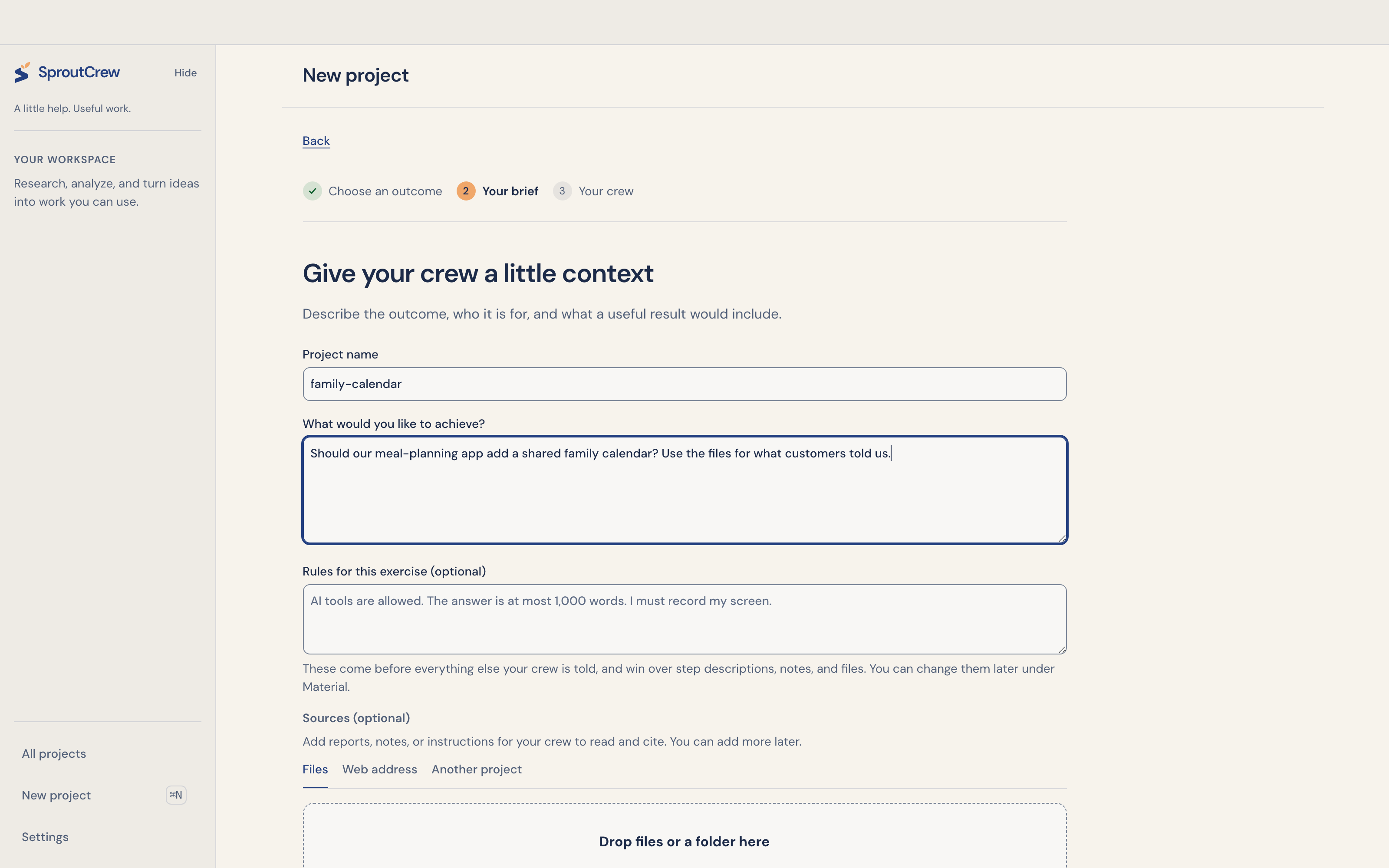
Define the outcome and attach your source material.
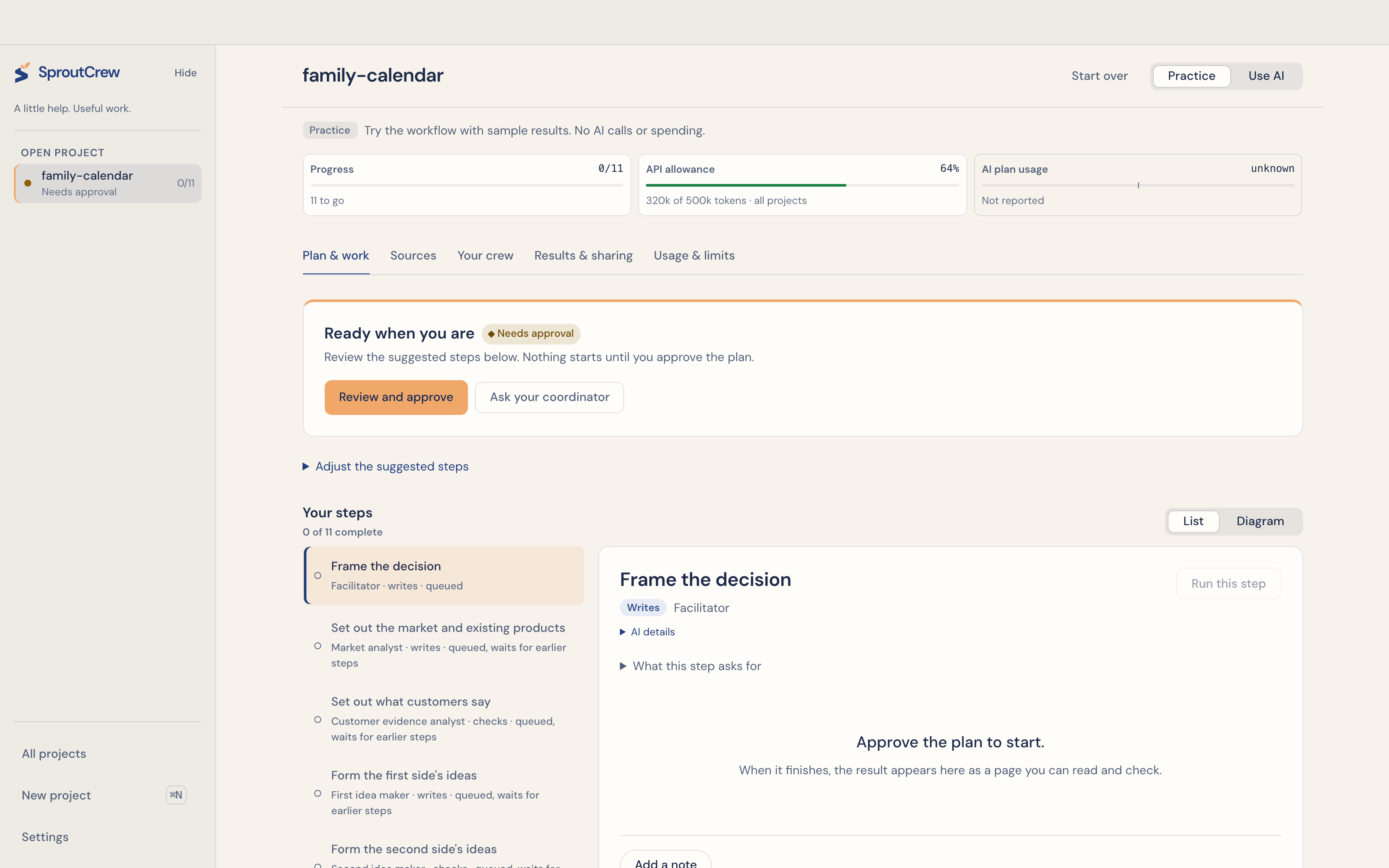
Inspect the proposed steps before the crew begins.
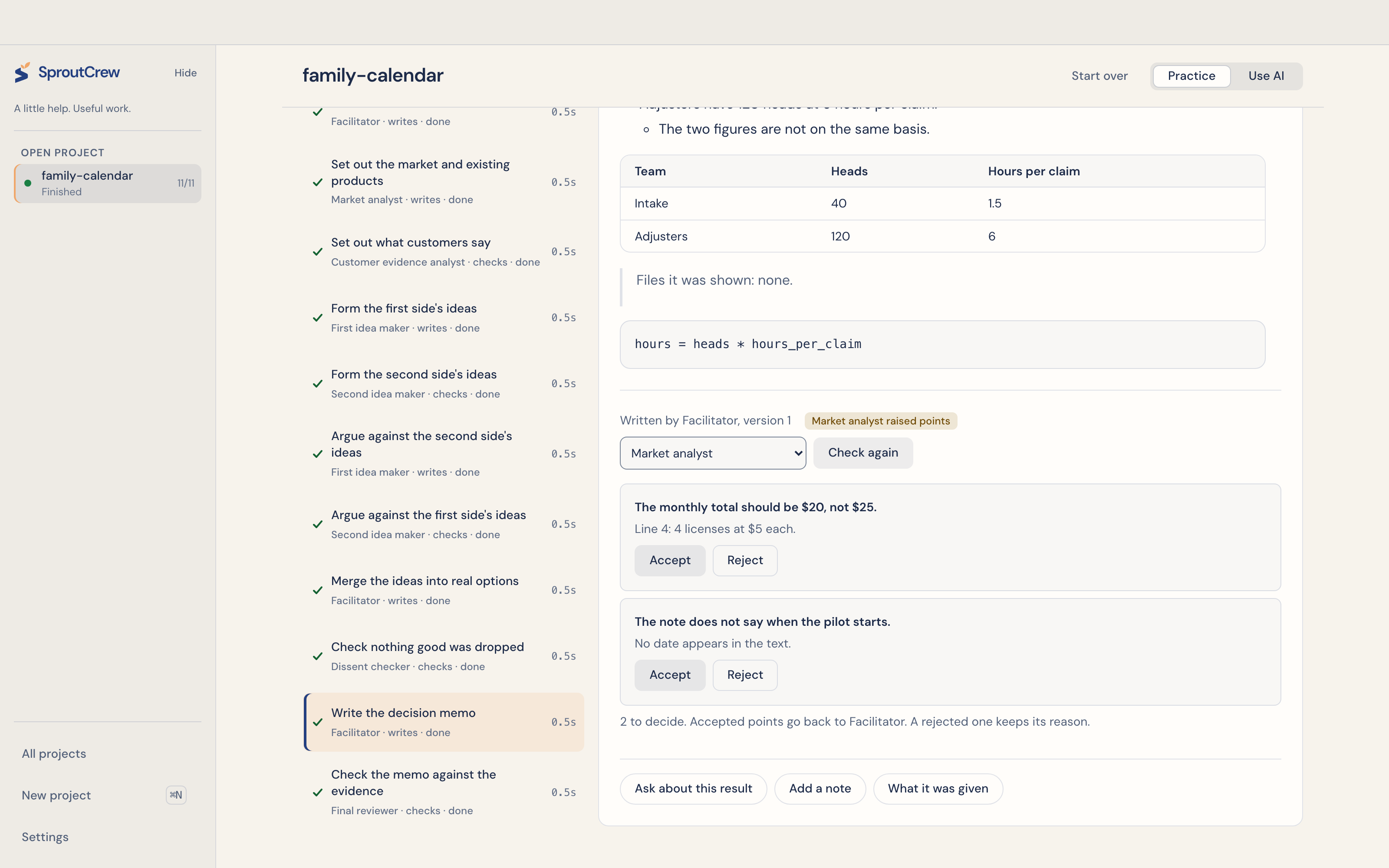
Compare the reviewer’s evidence and decide what to accept.
From the ask to your own review
A recommendation memo, a source-based research brief, or a piece of writing. Set the outcome before choosing the crew.
Add the brief, notes, reports, or public page URLs. Save project instructions for the audience, voice and decisions the crew should follow.
Choose the steps and models. Inspect what each role may do, then approve execution. Editing the plan, policy or material source context requires a new approval.
Asking AI to draft or reshape the plan uses provider allowance before execution approval.
Read the draft and its review findings. Accept a finding, reject it with a reason, or keep it in the decision inbox for your judgment. Choose different providers for the author and reviewer; a pass on one provider remains a second pass.
Keep the final work alongside a run report: the approved scope, policy decisions, review history, artifact hashes and reported usage. Run reports export as Markdown and PDF when the helper is available; a missing PDF is reported.
Why a review board
Inspect the steps before the crew starts. Decide which findings to accept, reject or send back.
Approve the scope and actions together. A change to the plan or its permissions requires fresh approval.
Assign models by role and see their reported usage. Unverified costs stay marked as unknown.
Review an execution plan before the crew starts its tasks. Keep findings and outstanding decisions in view, then decide what to revise or export.
The Rust core binds approval to the plan, action policy and material context. It checks app-owned actions against role permissions and blocks new dispatch when that approval changes.
These checks do not make model reasoning immune to prompt injection or create an operating-system sandbox.
Bring supported provider API keys and assign the models to the work. Requests reserve their configured bounds before dispatch. Usage that cannot be verified stays unknown.
Supported API routes are available in the Mac build. Subscription CLI connections stay disabled.
When more than one project needs you
See approvals, findings and stopped steps across projects. Open an item to return to the decision.
Keep the audience, voice and settled decisions with the project. Inspect or edit notes between runs.
Export the approved plan, policy decisions and review history alongside the finished work.
Find pending plan approvals, action requests, review findings and escalated questions across projects. Open a row to return to its step. Higher-risk decisions come first.
Keep the audience, voice and settled decisions with the project. Notes survive app restarts and reach agents on their next run. You can inspect, change or remove them.
Memory stays within that project. It does not sync across projects, accounts or the cloud. Removal does not erase earlier request records.
Export the approved plan and hash, policy matrix, review dispositions and decision history. The app scans the report and artifacts for possible secrets before exporting the run report.
A bill you can read
API dollars, tokens and any available plan-window readings stay separate. Each entry carries its status: reported, estimated, reconciled or unknown. The current build connects through APIs and does not consume subscription-plan allowances.
Paid OpenRouter models stop at $5 for each project unless you raise that limit, and a request whose price is unknown is refused. Other providers are held by a token limit, which is not a dollar cap. Use your provider’s billing controls and review its invoice. Free-model availability depends on the provider.
Choose an API connection and review the limits →This build does not take screenshots, click through websites, type into other apps, or control your desktop. You can add public URLs as sources. That is different from browser or computer control.
This build accepts provider API keys. Your subscription login does not connect it. Any API credits offered by a provider have their own eligibility, billing and expiry rules.
Yes, if you turn on web research when you create a project. The research step sees only your brief, never your files, and lists every page it used. It needs a paid model, and OpenRouter charges a small fee for each search. You can also add files and public page URLs as sources. Check the resulting citations yourself.
Projects that write code are off until you turn on Allow projects that write running code in Settings. Then App development and clickable prototypes are offered. Code is shown to you for review, a prototype opens only in the app’s own preview, and generated commands and dependency installs do not run on your Mac.
The Decision inbox shows pending approvals, review findings, action requests and stopped steps across projects. Turn on optional Mac alerts in Settings to get a generic notification for new items while SproutCrew is in the background. Keep the app open or minimized; macOS permissions, Focus and screen-sharing settings control delivery. Notifications never approve work.
Stop prevents further work from starting. A request already sent to a provider can still finish or be billed. The app keeps reported usage when it is available.
For people who already run agents — and are tired of babysitting them.
Free public beta for Apple Silicon Macs. Updates are manual.